
Every document, where it belongs.
Contracts, payslips, and application files live right on the employee record, in folders you control.
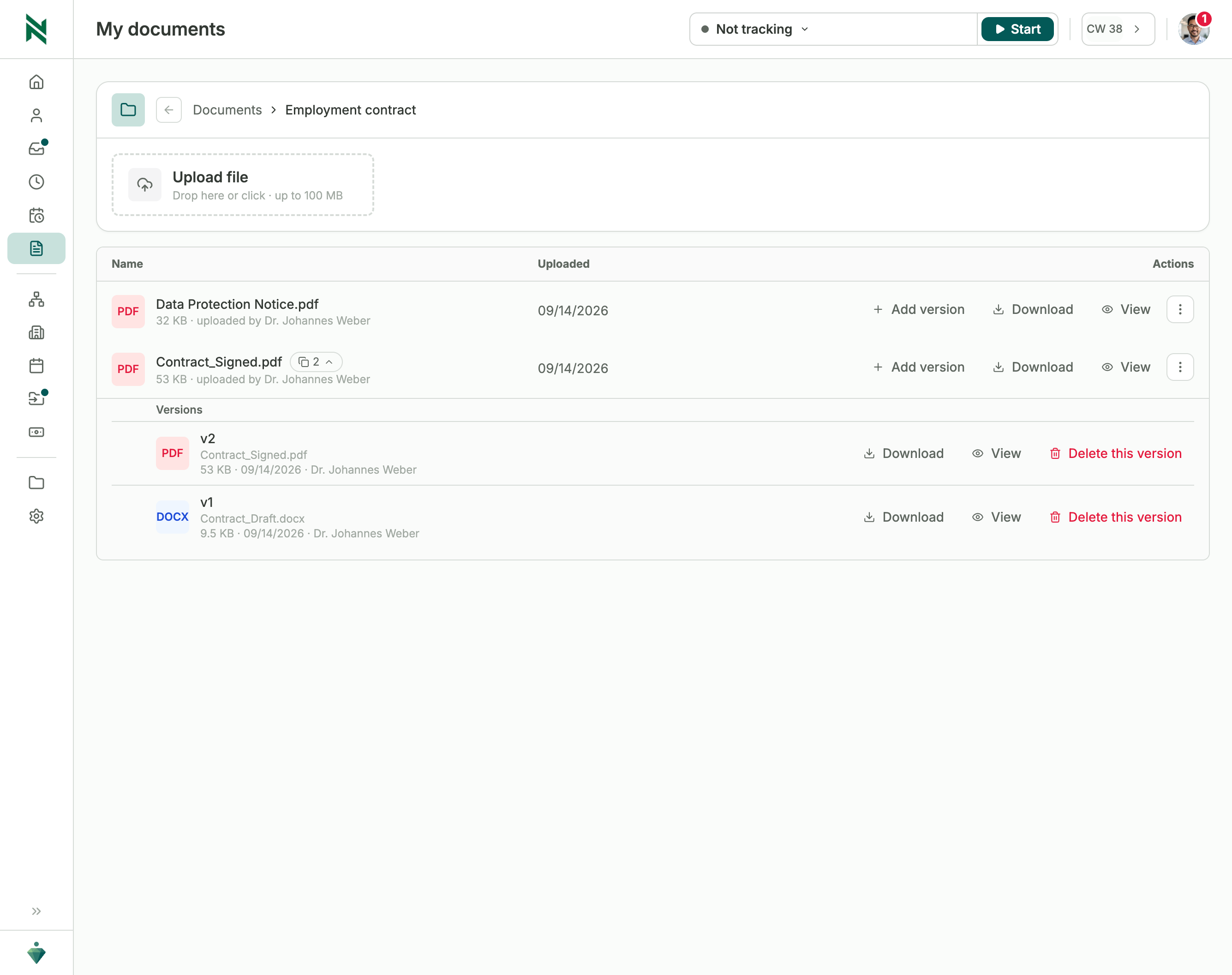
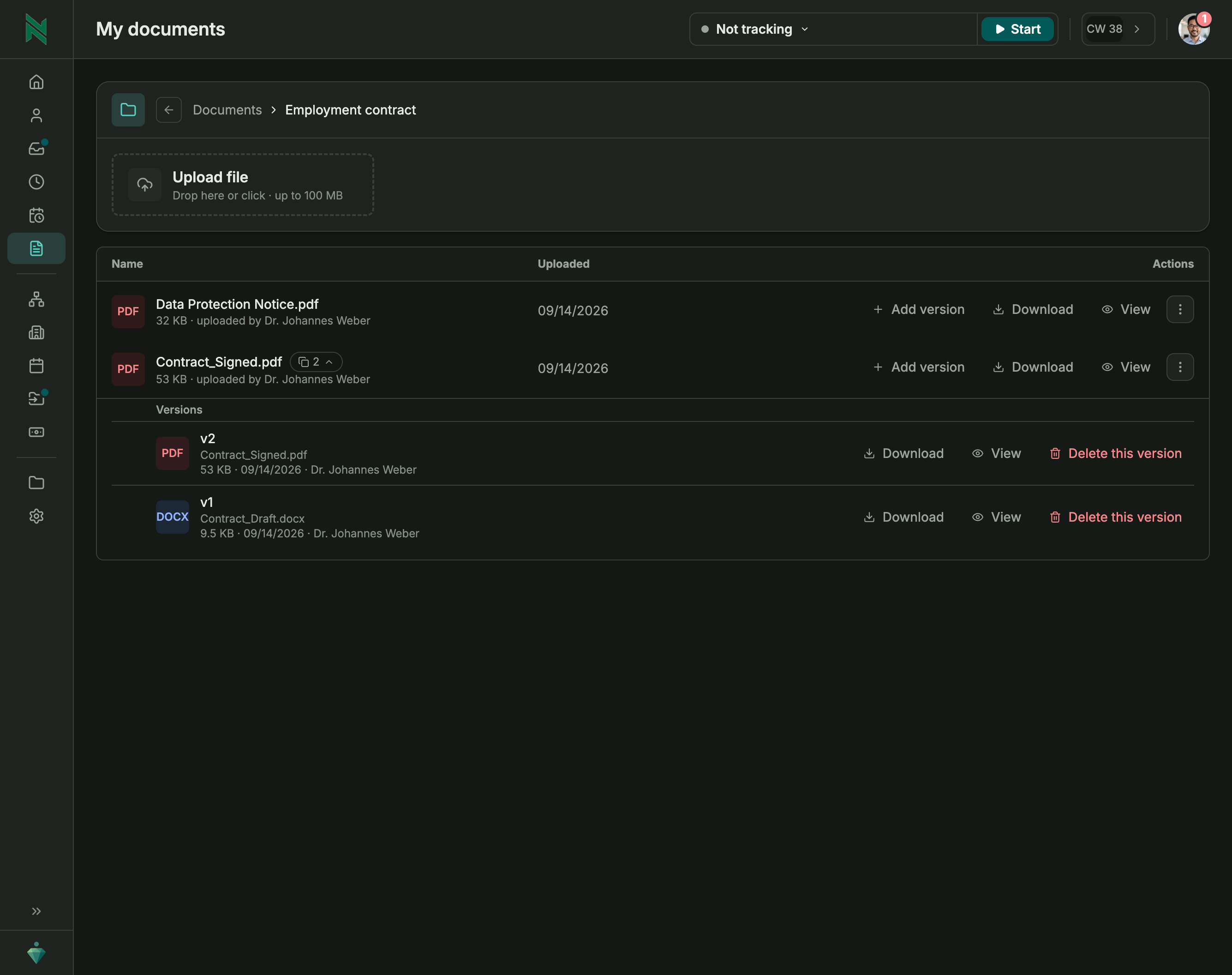
Folders that organize themselves, your way
All documents are properly organized from day one. Add your own folders and subfolders to match how your team works.
- Every folder gets its own description
- Structured around how your company works
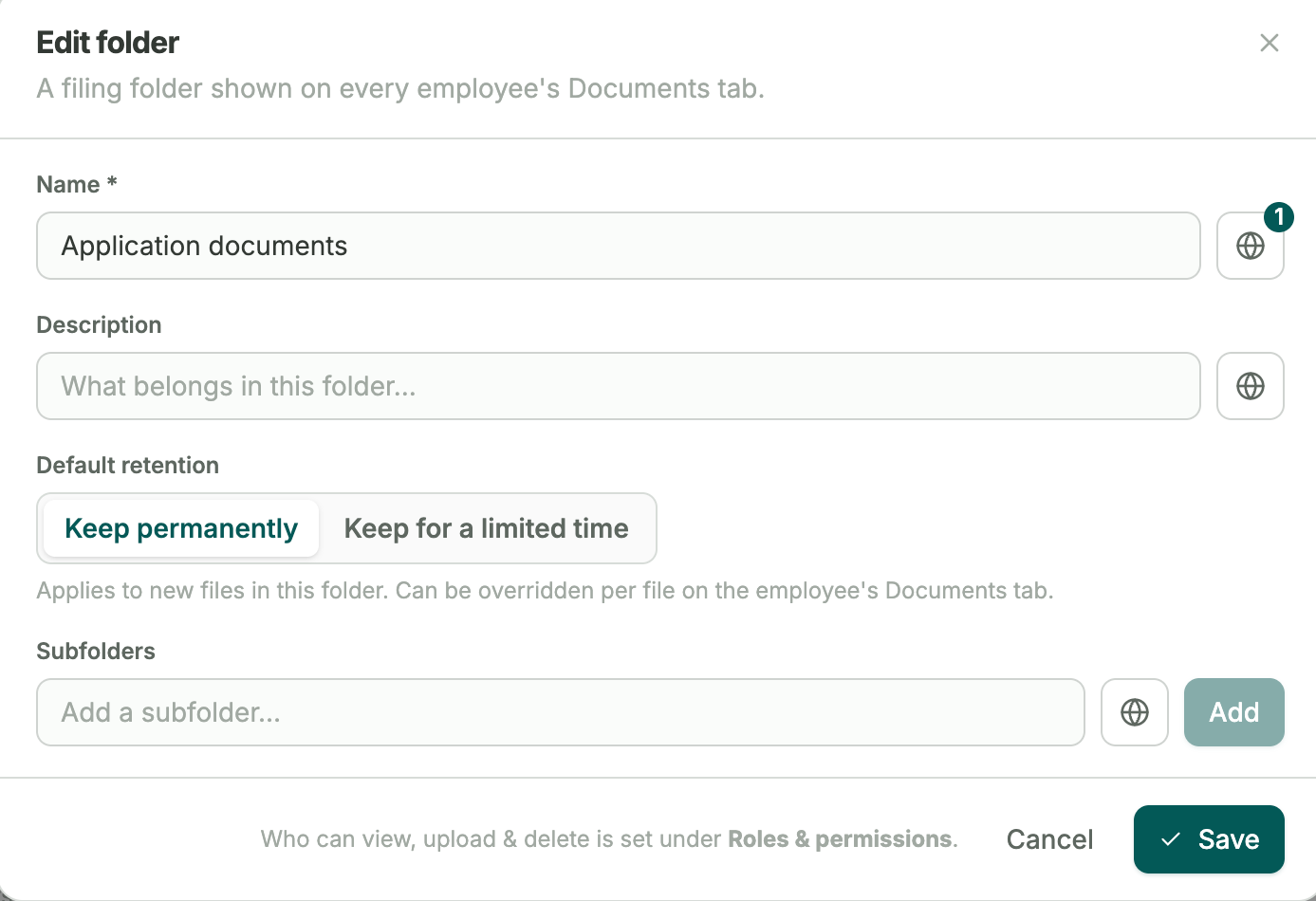
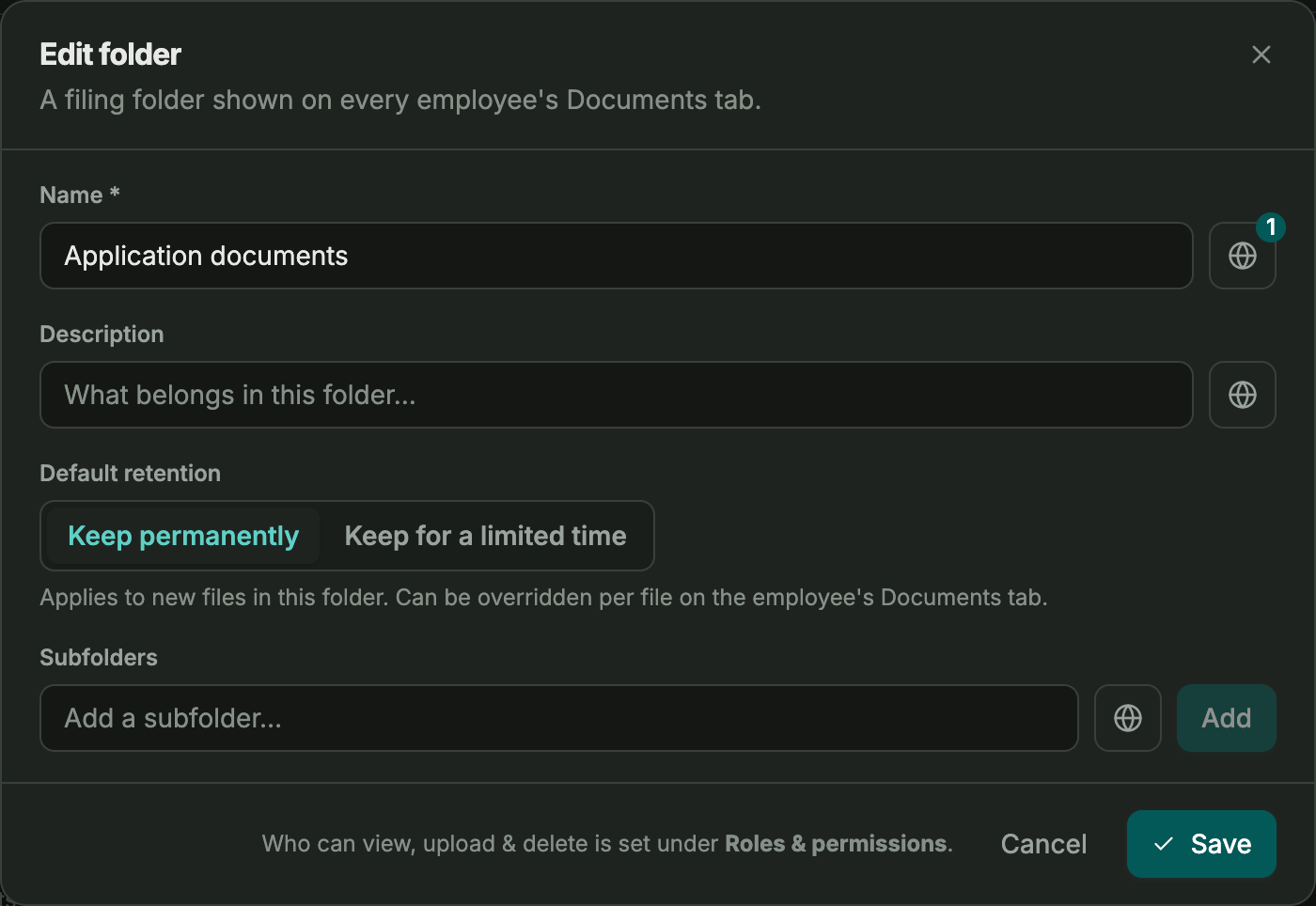
Retention rules, set once and followed automatically.
Set each folder to keep documents forever or for a fixed period.
- Automatic deletion when you want it
- Manual deletion whenever you need it
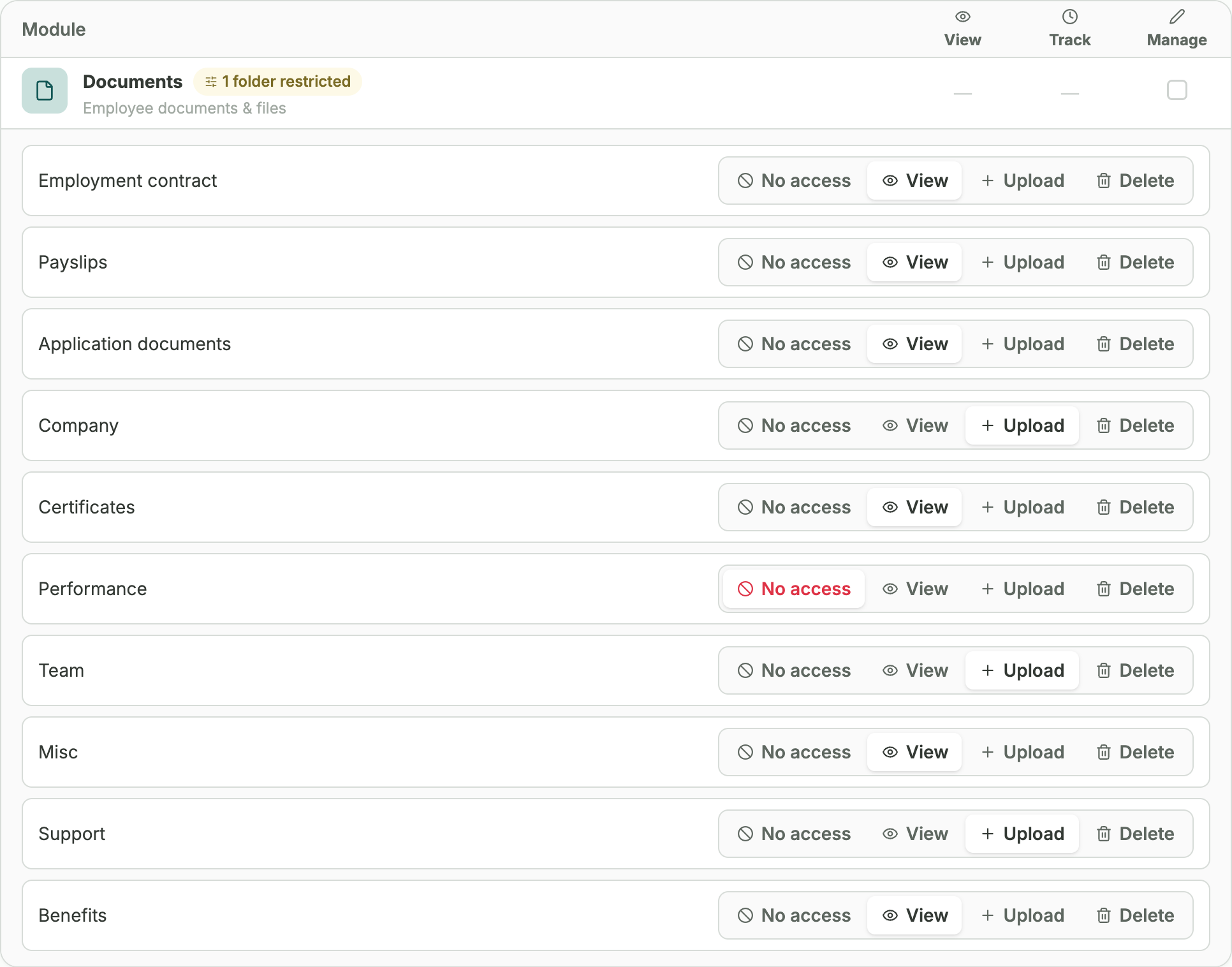
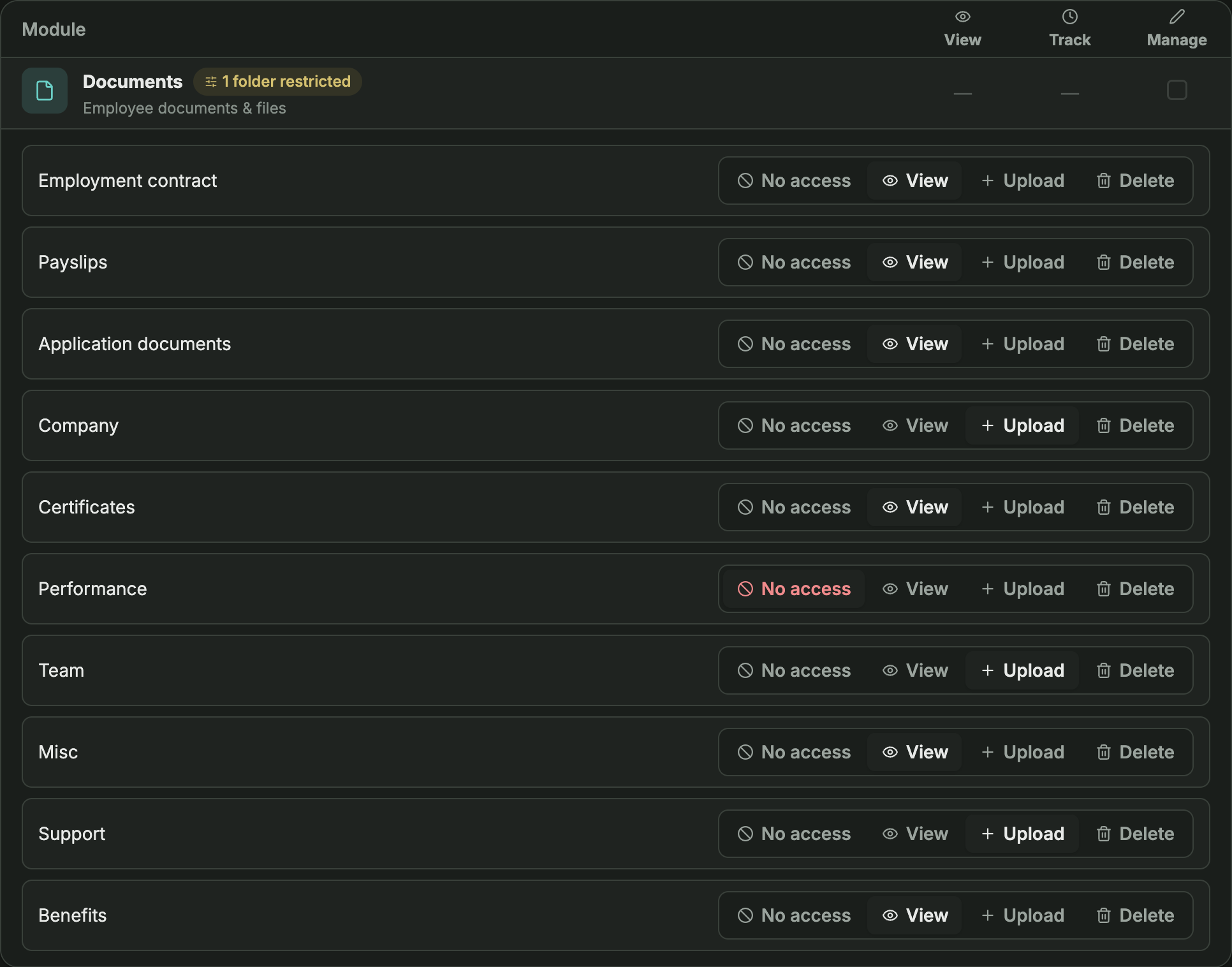
Decide exactly who can see what folder.
Employees see their own documents automatically. Deleted files land in a recycle bin, so a mistake is never final.
- Access is granted per folder
- Deleted files can be recovered, nothing is gone for good
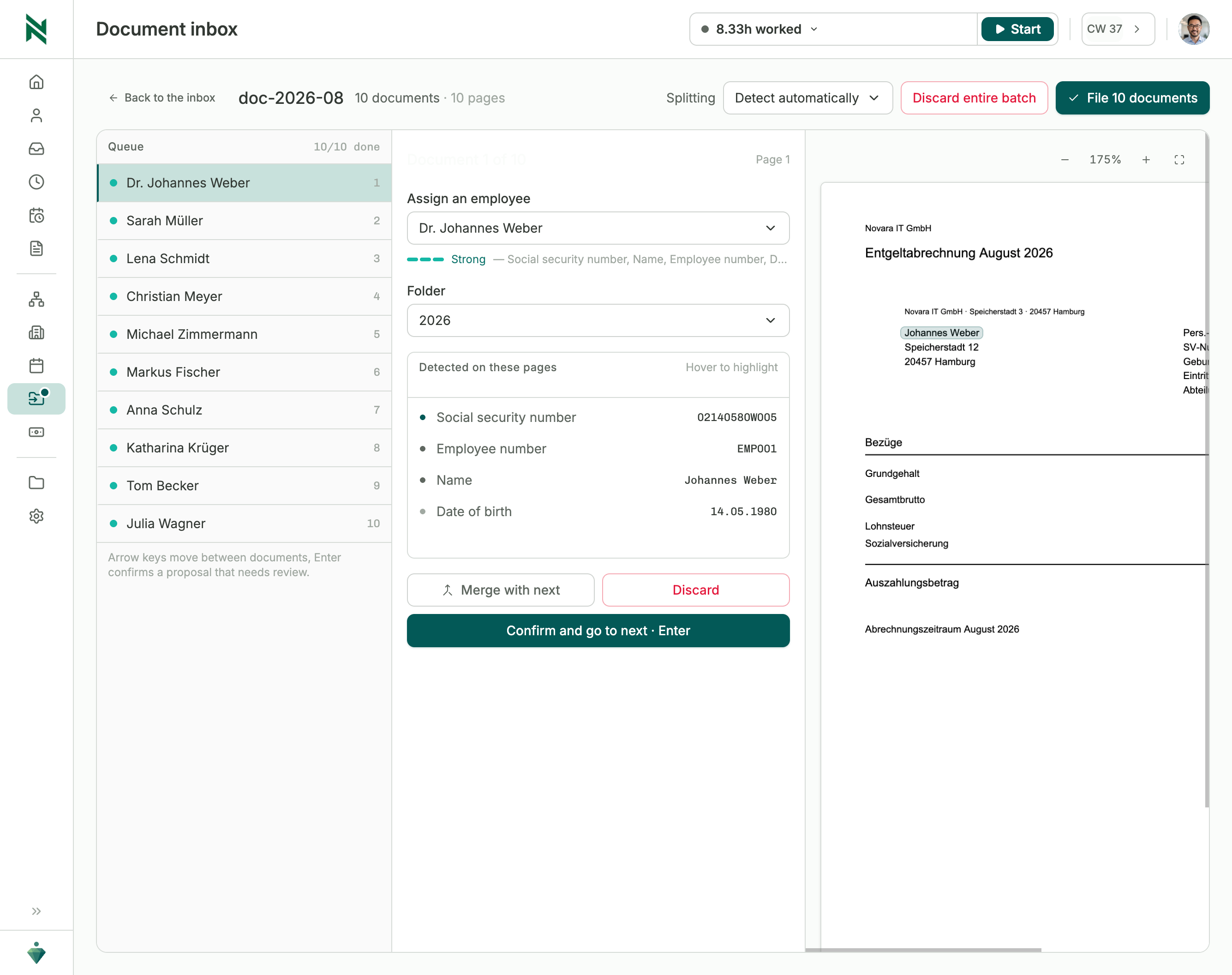
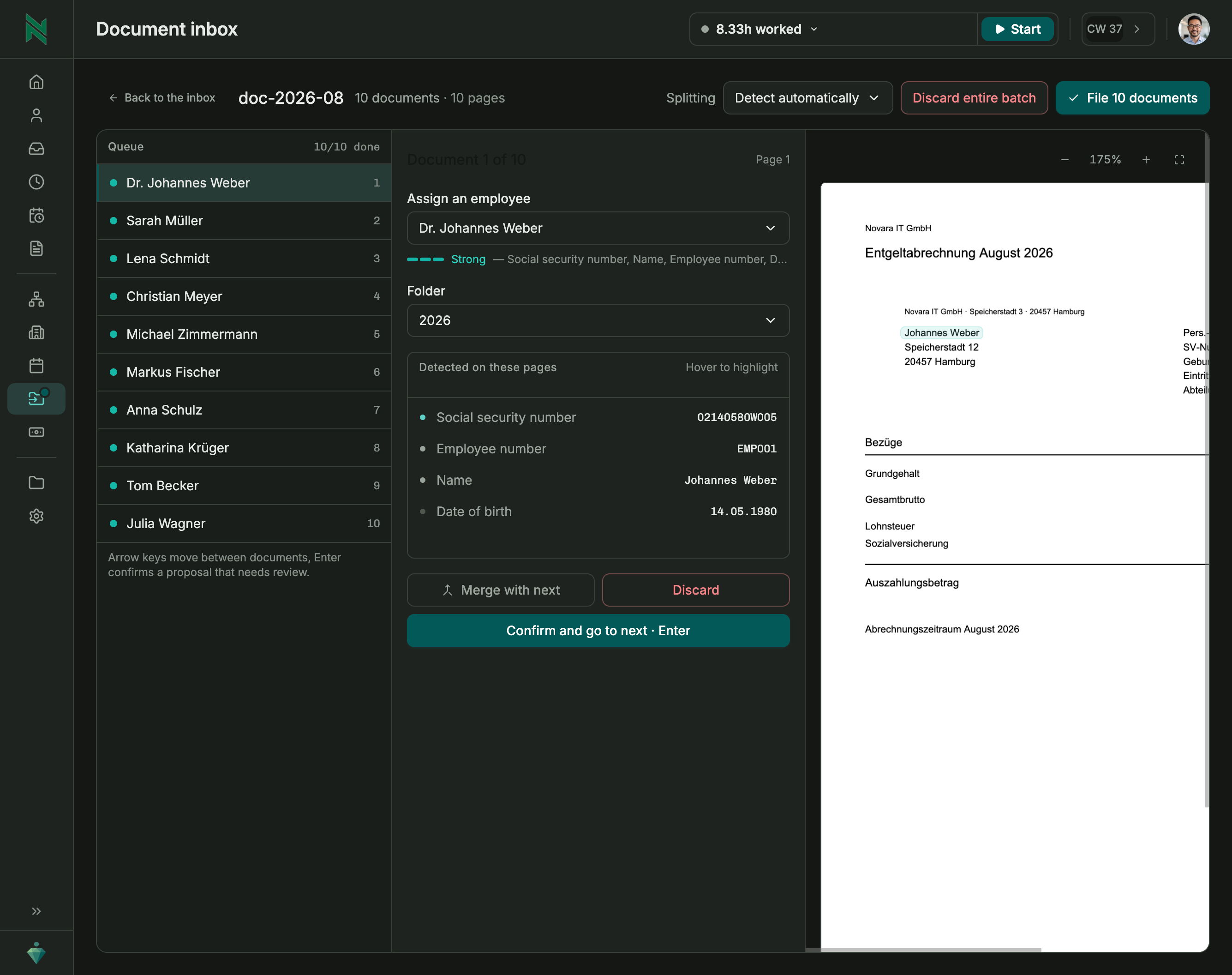
One upload, and every document lands in the right folder.
Upload one long file that covers several employees, like a full payroll run. Gemploy recognizes which pages belong to whom, splits the file, and files each document in the right employee’s folder.
- Review the proposed matches, then confirm
- No manual splitting or renaming
1 min
upload to filed
In practice
Payroll sends one long file covering the whole team. Instead of splitting and renaming it by hand, review the matches once, confirm, and every payslip lands in the right person's folder.
Records
Connects straight to records.
Every document sits alongside the contract and everything else on that person's record.
See records →Frequently asked questions
What happens when a document's retention period ends?
It's flagged for review by default, so nothing gets deleted without a decision. Automatic deletion can be turned on for specific folders where that fits.
Who can see an employee's documents?
Access is granted per folder. Employees see their own by default, and anyone else needs to explicitly be given access.
Are documents stored securely?
Yes. Documents are encrypted with a key unique to your company before they're stored.
What if a batch file mixes documents for several people?
Upload it as a single file. Gemploy assigns the pages to the right employees and shows you where each document will be filed.
See documents in action.
A short demo shows folders, retention, and access on your own setup.